
Settings
Desktop Settings. Account, capture, document and mail sources, privacy, connections, captured apps, website exclusions, notifications, local model, skill export, AI clients, updates, app behaviour, and data explained.
Last updated: 10 September 2026
Overview
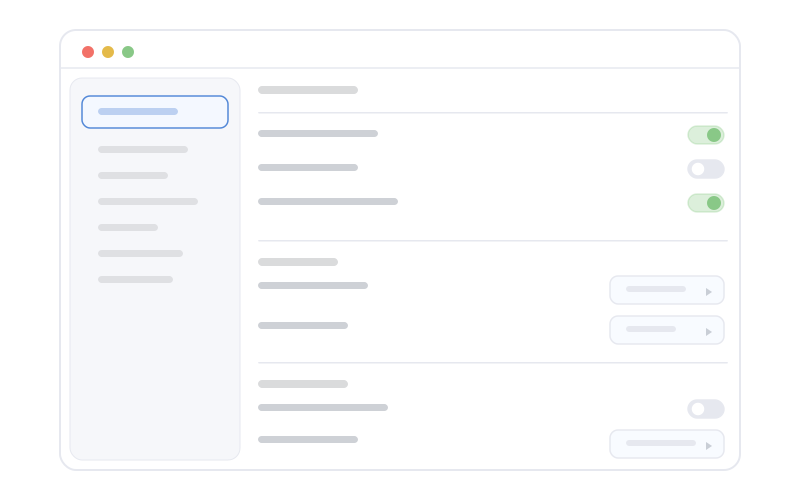
Settings (/settings) is organised into fifteen sections grouped under three sidebar headings: You, Capture, and System. A few sections appear only when their feature is enabled on your install. Changes apply according to each section's rules. Some require an app restart before they take effect.
You
Account
Subscription status and plan details, billing management (opens the web portal for invoices and plan changes), the current device's registration state with one-device conflict handling, and sign-out.
Capture
Capture
Configure which monitors participate in capture and which audio devices are recorded. Adjusting monitors or audio devices typically requires a restart so the capture pipeline can reinitialise cleanly.
Document sources
Watched-folder document indexing is unavailable in the shipping build. Text from a document can still be captured while it is visible in an allowed application. See document indexing.
Mail sources
Connect mail as a knowledge source. Apple Mail is read locally and does nothing until you grant Full Disk Access. Google Gmail and Microsoft 365 / Outlook use read-only OAuth grants and stay inert without one. The panel shows each cloud provider's connection status and opens that provider's OAuth flow for connect or reconnect. Overshow stores bounded excerpts, metadata, and derived reply state rather than full message bodies.
Privacy
Built-in protections and exclusion categories that limit what Overshow retains or processes (finance, health, password managers, not-suitable-for-work content, private browser windows, remote-desktop surfaces, protected domains, and sensitive system apps). Pause and resume controls live here. A prominent Privacy notice link opens the current public disclosure for connected-provider access, use, storage, sharing, protection, retention, and deletion.
Connections
Approve, scope, and revoke local apps that request access to your data. Each client gets a one-time token reveal on approval, and a recent-activity feed shows what it has read.
Captured apps
The user-managed allow-list for apps, backed by the encrypted local database. App saves hot-reload the running capture policy. Built-in deny rules for sensitive apps, private browser windows, and protected domains always take precedence over user choices.
Website exclusions
Category toggles for finance, health, not-suitable-for-work content, and always-on password managers, plus a custom domain exclusion list. Category and custom domain exclusion changes apply after save.
Notifications
Meeting notification preferences: the system notification permission, heads-up alerts for upcoming calendar meetings, detection of ad-hoc meetings, blocked-transcription warnings, and summary-ready alerts. The live meeting panel's auto-show and pin behaviour is controlled here too. Auto-show is reserved for a new meeting, an environmental block, or a capture failure. Routine idle capture status does not repeatedly place the panel over your work. On a notched display the compact island remains attached to the cut-out, while Keep on top controls a panel parked at a corner.
System
Local model
Read-only runtime state for the on-device language model and other local AI features. The Mac uses its local language model for Ask and intelligence features. Meeting transcription, voice activity detection and speaker labelling use a separate audio helper and can run while chat is disabled. Shipping builds have no text embedding worker.
Skill export
Export a portable skill bundle of your reviewed knowledge. The preview shows the exact plaintext file map before anything is written, honours profile and candidate exclusions, and warns when the destination folder is cloud-synced.
AI clients
Connect MCP-capable AI clients (Claude Desktop, Claude Code, Cursor, and others, plus a custom option) to your private history through the read-only AI apps integration. AI apps ship on macOS today (the Windows build does not yet include the helper, so this panel is absent there) and availability on the Mac follows your account's arranged access. Each client requires explicit approval. You choose its history limit, optionally grant source detail, set redaction preferences, and can revoke it at any time. A cloud client sends its queries and returned snippets to its provider.
Updates
Check for updates, download, and install. Native update prompts land here.
App
General behaviour: open at login and the configurable Quick Ask global shortcut, which opens Ask and focuses the input.
Data
Where your local capture index lives: the encrypted database on this Mac, what is stored, the plan history window, and retention behaviour. The explicit reset local data action deletes that database after a typed confirmation. There is no server-side replica to restore from. Approved records already published to the organisation repository follow separate retention and deletion controls.
After changing Capture
If capture behaves oddly after changing devices, quit Overshow fully and reopen so services restart with the new configuration.